Desktop vacuum former for making moulds and shells from a heated plastic sheet.
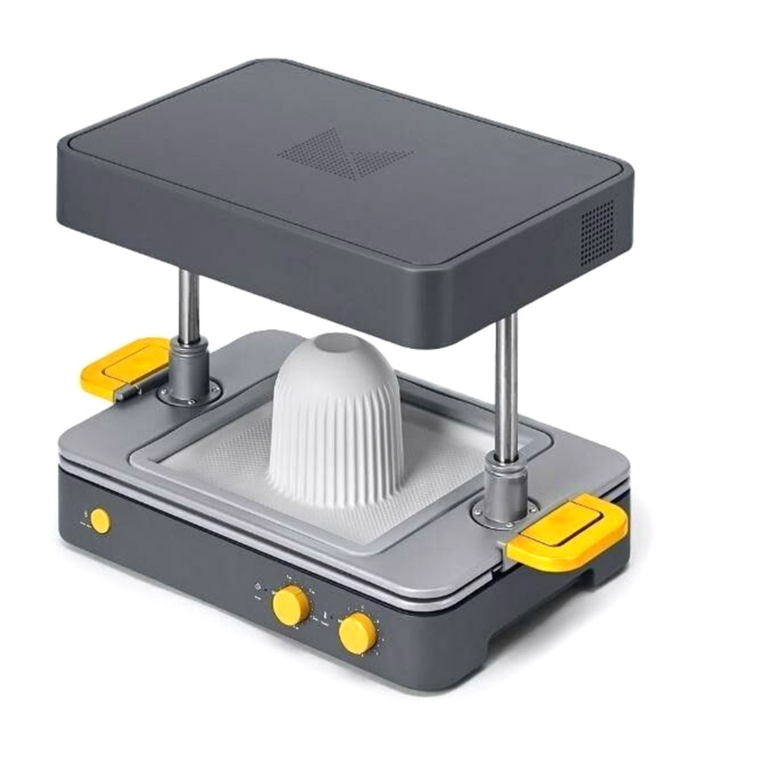
Mayku
Fabricant :
Mayku
Zone de travail : 200x200x130mm
Matériaux :
Utilisation encadrée
Documentation completed: 100%
Created by: Adrien Bracq
Overview
A desktop vacuum former. A plastic sheet is heated in a frame, then lowered onto a perforated bed on which a mould is placed (an object, a 3D-printed form, and so on): suction under the bed pulls the softened sheet against the mould to reproduce its shape.
| Parameter | Value |
|---|---|
| Forming area | 200 x 200 mm |
| Forming depth | 130 mm |
| Temperature range (heating element) | 160 to 340 °C |
| Compatible sheet thickness | About 0.25 to 1.5 mm |
| Dimensions | 466 x 274 x 315 mm |
| Weight | 13 kg |
| Suction | External vacuum cleaner required (universal adapter), no built-in vacuum pump |
Capabilities and limitations
a. Capabilities
- Quickly making moulds or shells from an existing object or a 3D-printed part.
- Prototyping packaging, shells (cosplay, protective covers) or small parts in relief.
- A mould base for casting (plaster, resin, silicone) from the shape obtained.
b. Limitations
- Forming on one side only: no fine undercuts, and the mould must have enough draft angle to release.
- Forming area and depth limited to 200 x 200 x 130 mm.
- Requires a compatible external vacuum cleaner (the machine has no vacuum pump of its own).
- The quality of the result depends on the thickness and type of plastic: sheets that are too thick or too stiff do not form properly.
Usable materials
PETG, HIPS, ABS, polystyrene, polypropylene, polycarbonate, polyethylene, acrylic (PMMA). In sheet form, about 0.25 to 1.5 mm thick.
Techniques & tutorials
No dedicated tutorial on this site for now.
Notes
See the safety instructions of the Thermoforming module before any use: the heating element and the sheet reach high temperatures.
