xTool P3 desktop CO2 laser cutter and engraver: overview, materials, safety and getting started.
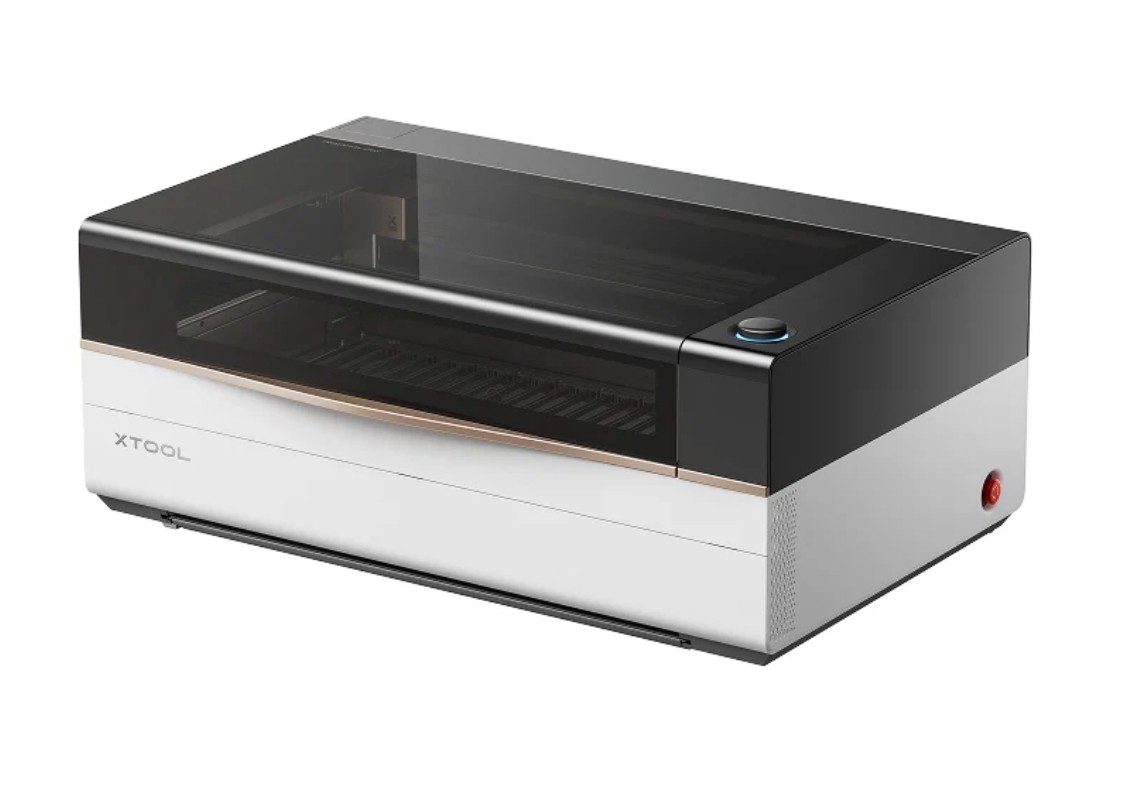
xTool P3
Documentation completed: 30%
Created by: Raphael Peru
About the xTool P3
The xTool P3 is a CO₂ laser cutting and engraving machine for digital fabrication projects. With its 80 W CO₂ laser, it can work on a wide range of materials and suits makers as well as small production runs.
Main features
- Laser power: 80 W CO₂
- Work area: about 915 × 458 mm
- Maximum speed: up to 1,200 mm/s
- Positioning: dual camera system for accurate preview and placement
- Automatic focus: autofocus and a motorised platform that adjusts the height
What is a CO₂ laser?
How a CO₂ laser works
A CO₂ laser produces an extremely concentrated beam of light able to heat, engrave or cut various materials. Unlike an ordinary lamp, which emits light in every direction, a laser generates light that is highly ordered, concentrated and directed.
The laser tube
At the heart of the machine is a tube containing a gas mixture, mainly carbon dioxide (CO₂), but usually also nitrogen and helium.
When a high voltage is applied to this gas mixture, the molecules are excited: they absorb energy and move to a higher energy state.
These excited molecules naturally tend to return to their normal state. As they do so, they release their excess energy as infrared light.
Amplifying the light
There are mirrors at both ends of the tube.
When the first photons are emitted, they bounce from one mirror to the other inside the tube. On each pass, they stimulate other excited molecules, which in turn emit identical photons.
This phenomenon, called stimulated emission, is the fundamental principle of all lasers.
As the light travels back and forth, it is amplified until it forms a very powerful, highly coherent beam.
One of the mirrors is slightly transparent, which lets part of the beam leave the tube: this is the laser beam used by the machine.
Why is a CO₂ laser invisible?
The beam produced by a CO₂ laser has a wavelength of about 10.6 micrometres, in the far infrared.
The human eye can only see light between approximately 0.4 and 0.7 micrometres. The beam is therefore completely invisible.
The red light sometimes visible on some machines is usually just a positioning laser that shows where the main beam will be sent.
How does the laser cut a material?
After leaving the tube, the beam is reflected by several mirrors, then focused by a lens.
This lens reduces the diameter of the beam to a very small size. All the energy of the laser is then concentrated on a tiny surface.
The energy density becomes so high that the heated material:
- burns;
- melts;
- vaporises;
- or decomposes chemically,
depending on its nature.
By moving the focal point along a precise path, the machine can engrave patterns or cut right through the material.
Why are CO₂ lasers so effective on wood and acrylic?
Materials such as wood, cardboard, leather or acrylic absorb 10.6 μm infrared radiation very well.
The energy of the beam is therefore quickly turned into heat inside the material.
Conversely, many metals strongly reflect this wavelength, which makes them much harder to cut with a CO₂ laser of moderate power.
Compatible materials
The xTool P3 can cut and/or engrave many materials.
Materials that can be cut
- Wood
- Acrylic
- Cardboard
- Paper
- Leather
- Fabrics
Materials that can be engraved
- Wood
- Acrylic
- Cardboard
- Leather
- Fabrics
- Glass
- Ceramic
- Bamboo
- Some metals (with the optional infrared module)
Safety
The xTool P3 is designed to offer a high level of safety. It has a fully enclosed housing, several infrared sensors, monitoring cameras and a built-in fire detection and extinguishing system.
When used in accordance with the manufacturer’s recommendations and with all its protections active, the xTool P3 holds a Class 1 laser safety certification.
The laser of the xTool P3 is very powerful and heats the material until it vaporises or burns locally. This operation carries a risk of the material catching fire and requires constant supervision during use.
Forbidden materials or materials to avoid
Never cut or engrave the following materials, as they can catch fire or release dangerous gases or fumes:
- PVC - releases irritant, corrosive gases that can injure the eyes, airways and skin, and damage the frame and the optics.
- ABS (acrylonitrile butadiene styrene) - can produce toxic compounds, including cyanide precursors, when laser cut.
- Polycarbonate - strongly absorbs the CO₂/infrared laser and is a fire hazard.
- Foams (polystyrene, polypropylene) - catch fire easily and melt under the laser, generally to no useful purpose.
- HDPE - melts and becomes sticky, with a risk of ignition.
- Coated carbon fibre - the coatings can release toxic gases harmful to respiratory health.
- Vinyl
- Imitation leather containing PVC
- Materials containing chlorine
- Materials painted with paints of unknown composition
- Composite materials of unknown origin
If you are unsure of the composition of a material, do not use it without checking first.
Conditions of use
- Do not use the xTool P3 at temperatures below 0 °C.
- Watch the machine at all times while cutting or engraving.
- Keep the extraction fan running for the whole job and check that it does vent the air outside.
The xTool P3 produces fumes, fine particles and volatile organic compounds. Proper ventilation and suitable filtering are essential.
Good practice
- Never cut or engrave a material whose composition you do not know.
- If in doubt about a material, ask a supervisor before use.
- Take care not to place any object on the areas highlighted in red, to avoid damaging the lid and the machine.
- For safety, avoid placing objects on the orange areas, even if nothing seems to happen at first.
This machine is part of the Laser cutting certification module: passing it is mandatory before any unsupervised use.
Recommended use
Its combination of power, automation and safety features makes the xTool P3 a complete solution for beginners and experienced users alike, suited to large projects and to producing several parts at once.
