An interactive tool to see how the vernier of a caliper works (1/10 mm) and to practise reading a measurement.

Vernier reading simulator
Documentation completed: 20%
Created by: Adrien Bracq
1. Why a vernier
A vernier caliper lets you read a dimension to a tenth of a millimetre without a digital display, thanks to a second, sliding scale (the vernier) placed next to the fixed rule. How the two scales work together is easier to see than to explain: that is the purpose of this tool.
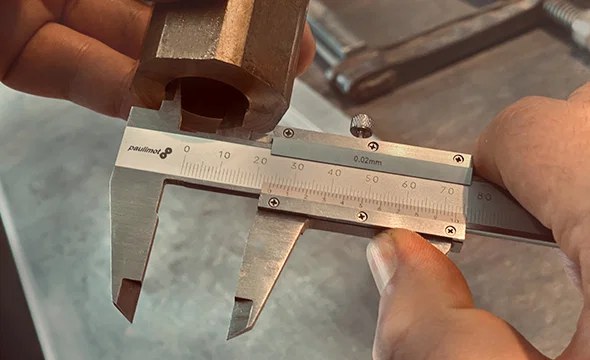
On this caliper, the fixed rule is graduated in millimetres (top) and the vernier, at the bottom, is marked 0.02mm: it reads to one fiftieth of a millimetre. The principle is the same as for tenths, with 50 divisions instead of 10. The simulator below uses the 1/10 mm vernier, which is simpler to understand.
The principle: the vernier has 10 divisions that span 9 mm of the fixed rule, so each vernier division is worth 0.9 mm, 0.1 mm less than a division of the rule. This slight offset means that, at any position, a single vernier line aligns exactly with a line of the fixed rule, and that line gives the digit after the decimal point.
2. Simulator
Drag the vernier directly on the drawing (or use the slider and the buttons) to see the reading update. Switch to Entraînement (practice) mode to test yourself: a random measurement is set, and you read it before checking.
3. How to read it
- Find where the vernier zero sits against the fixed rule: the number of whole millimetres just before it is the first part of the measurement.
- Among the vernier graduations, look for the one that lines up best with a graduation of the fixed rule.
- The number of that graduation (0 to 9) gives the tenths digit.
The test part of the Metrology workshop (a Ø10 mm hole and peg) is a good first exercise: set the simulator to 10.00 mm to see what that dimension looks like on a vernier.
Useful links
- Calipers on Wikipedia
- Precision, accuracy and good measuring practice
Photo of the caliper: source and licence to be completed.
