Model and print your own Kumiko inserts to add them to the collaborative frame installed in the PrinterLab.
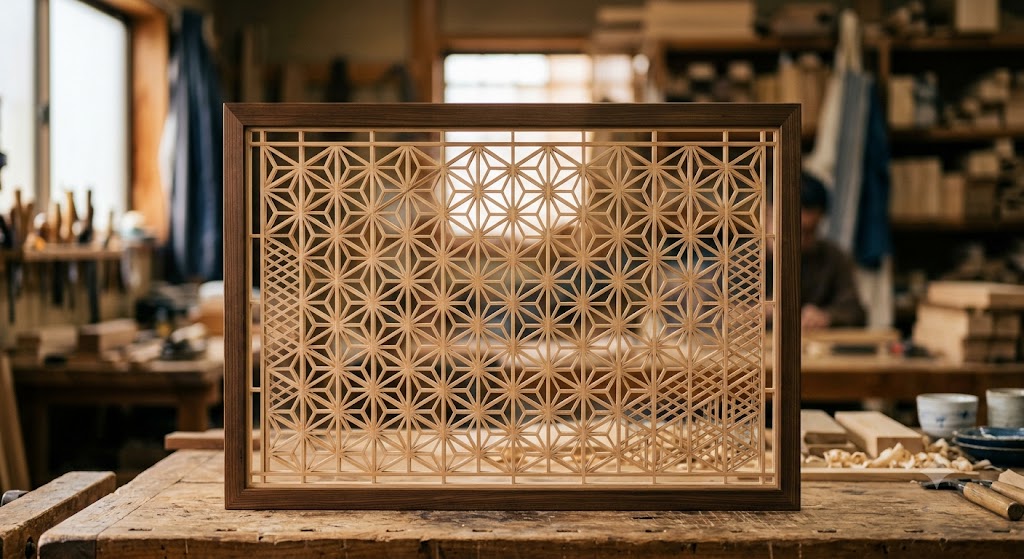
Collaborative Kumiko
Duration :
Difficulty :
Prerequisites:
Software:
Documentation completed: 10%
Created by: Adrien Bracq
Introduction
Kumiko is a traditional Japanese fine woodworking technique that consists of assembling small pieces of wood without nails or screws to create decorative geometric patterns. These compositions, often found in screens or partitions, rely on precision and the harmony of shapes.
In this exercise, we revisit this tradition in a 3D-printed, collaborative version.
Goal
Contribute to a collective artwork installed in the PrinterLab, using 3D-printed Kumiko inserts.
Instructions
1. Choose your inserts
Look at the drawings provided below, showing 16 different Kumiko insert patterns (downloadable as a single PDF). Choose three inserts from those offered.
2. Model your inserts
Model your three inserts in 3D from the drawings, in your OnShape project. Pay attention to the dimensions and symmetry of each pattern: all the inserts fit within an equilateral triangle with 40.05 mm sides, and are 10 mm thick.
3. Print your inserts
Print your three inserts in black, white or red. See the 3D printing tutorial if needed.
4. Install your parts
Once the prints are finished, place your inserts in the collaborative Kumiko frame installed in the MakerSpace PrinterLab.
Available inserts
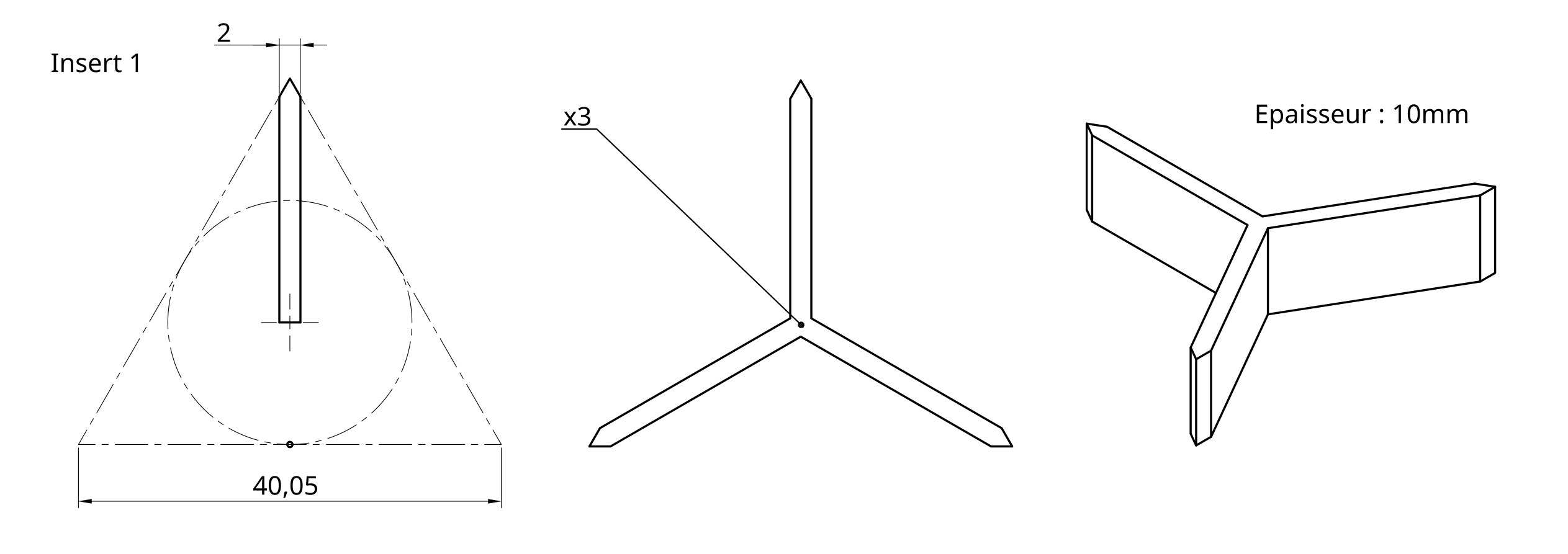
Insert 01
Difficulté : ★
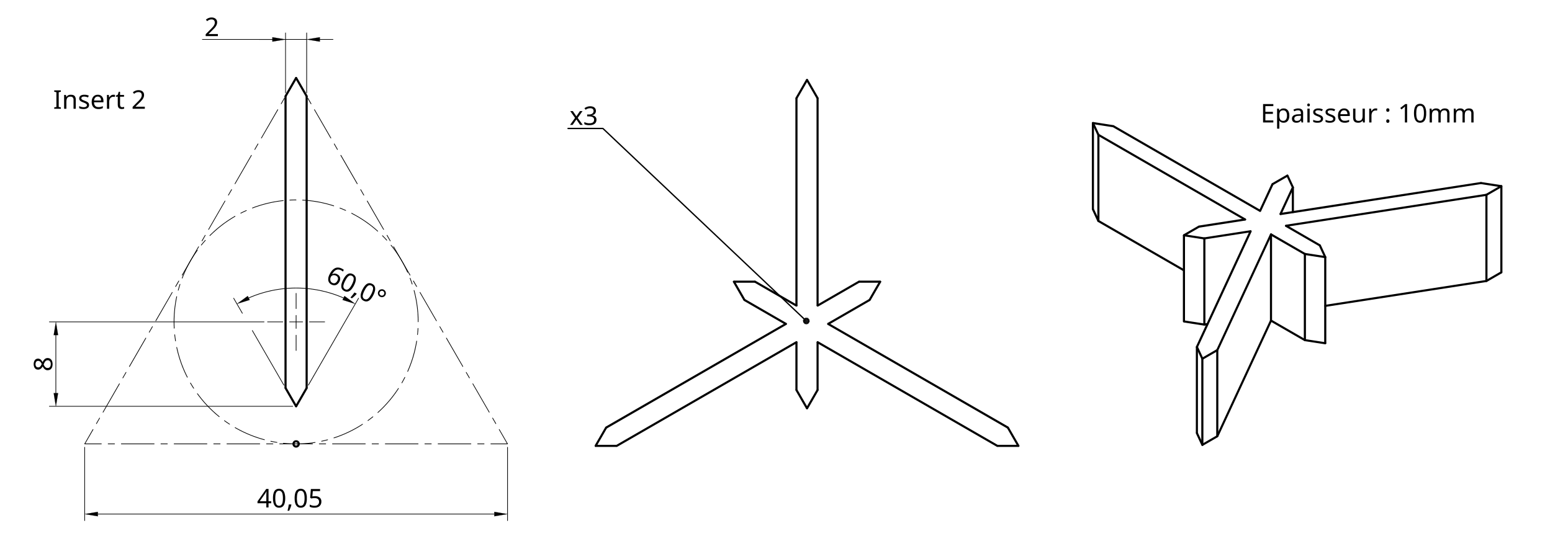
Insert 02
Difficulté : ★
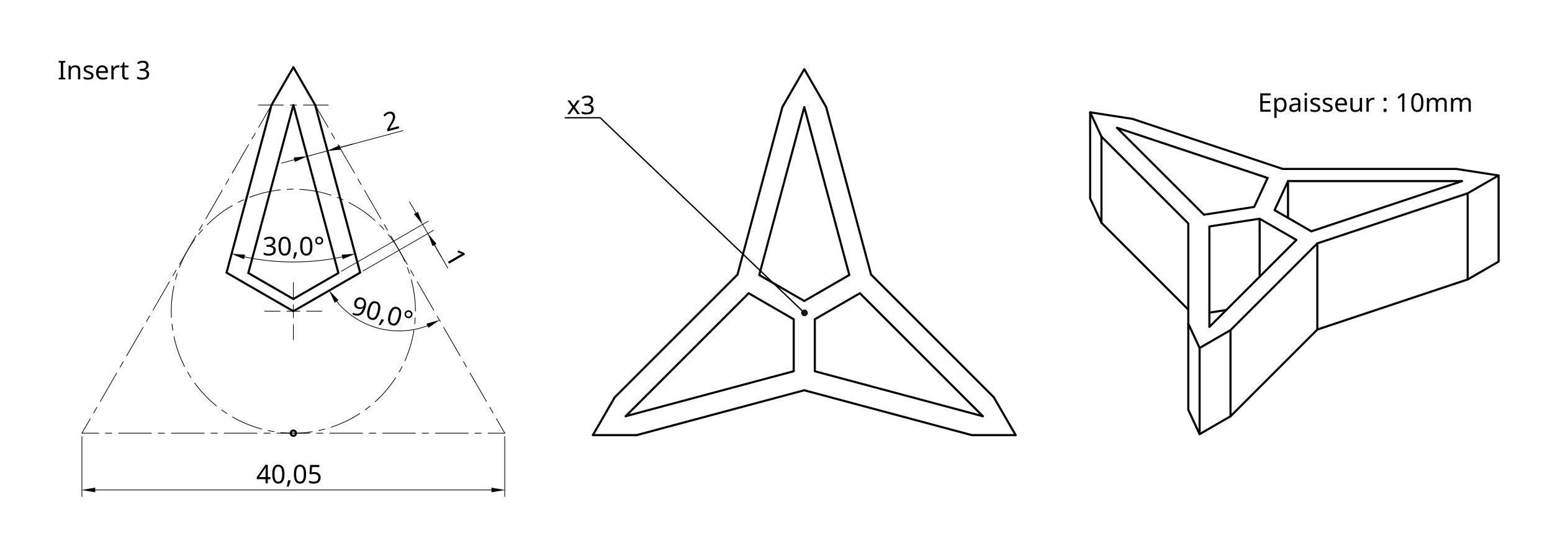
Insert 03
Difficulté : ★★
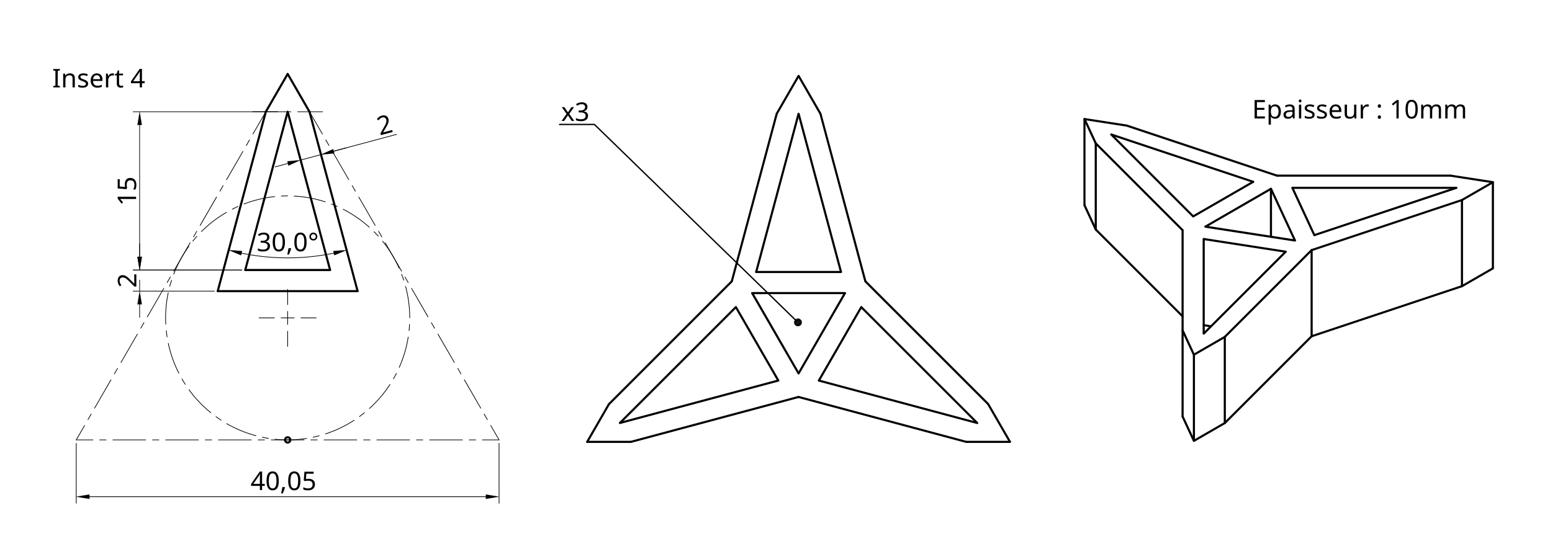
Insert 04
Difficulté : ★★
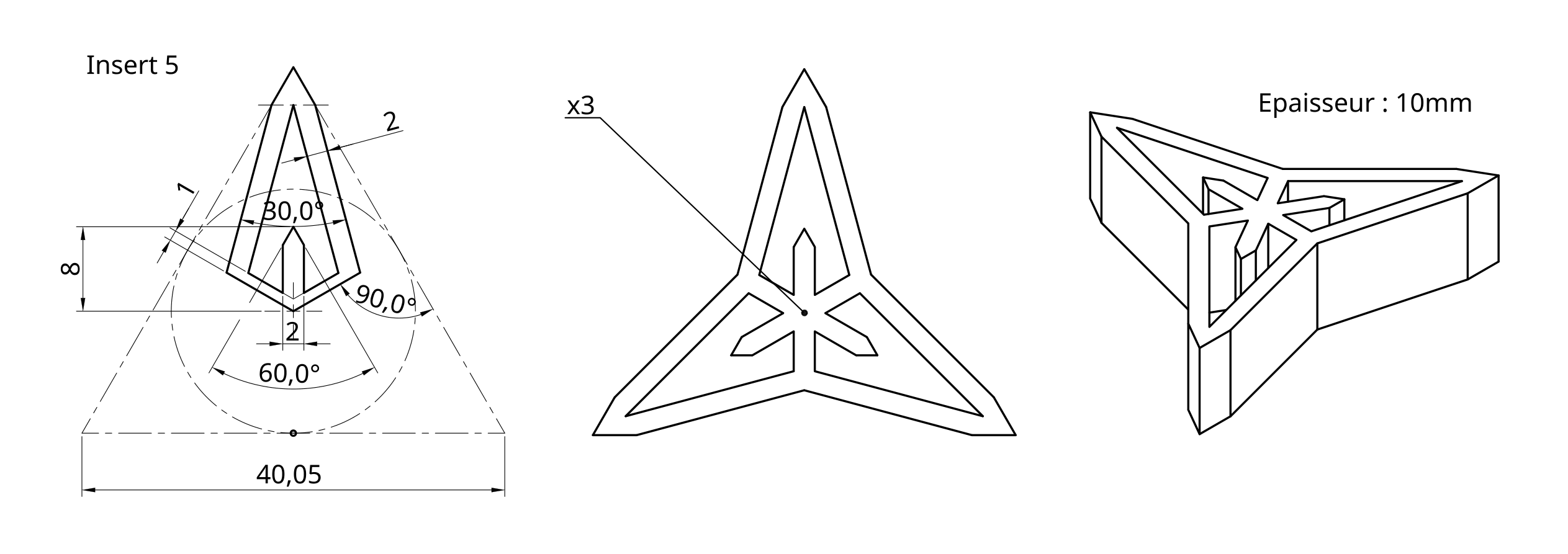
Insert 05
Difficulté : ★★★
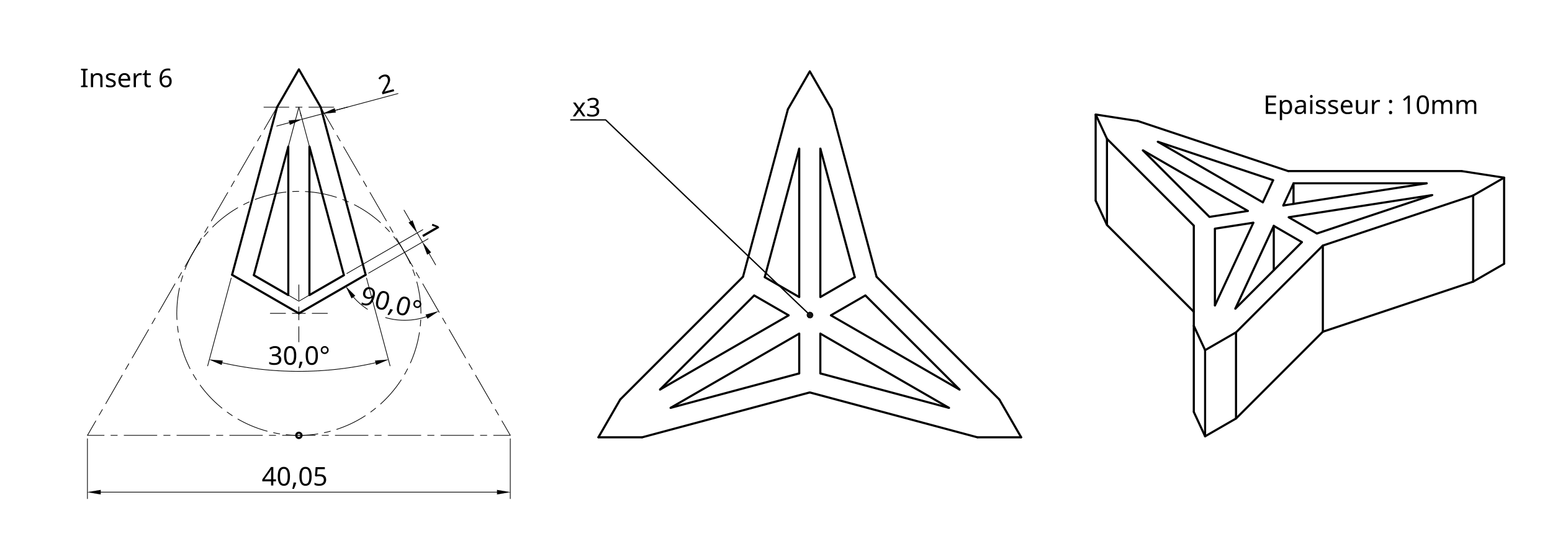
Insert 06
Difficulté : ★★★
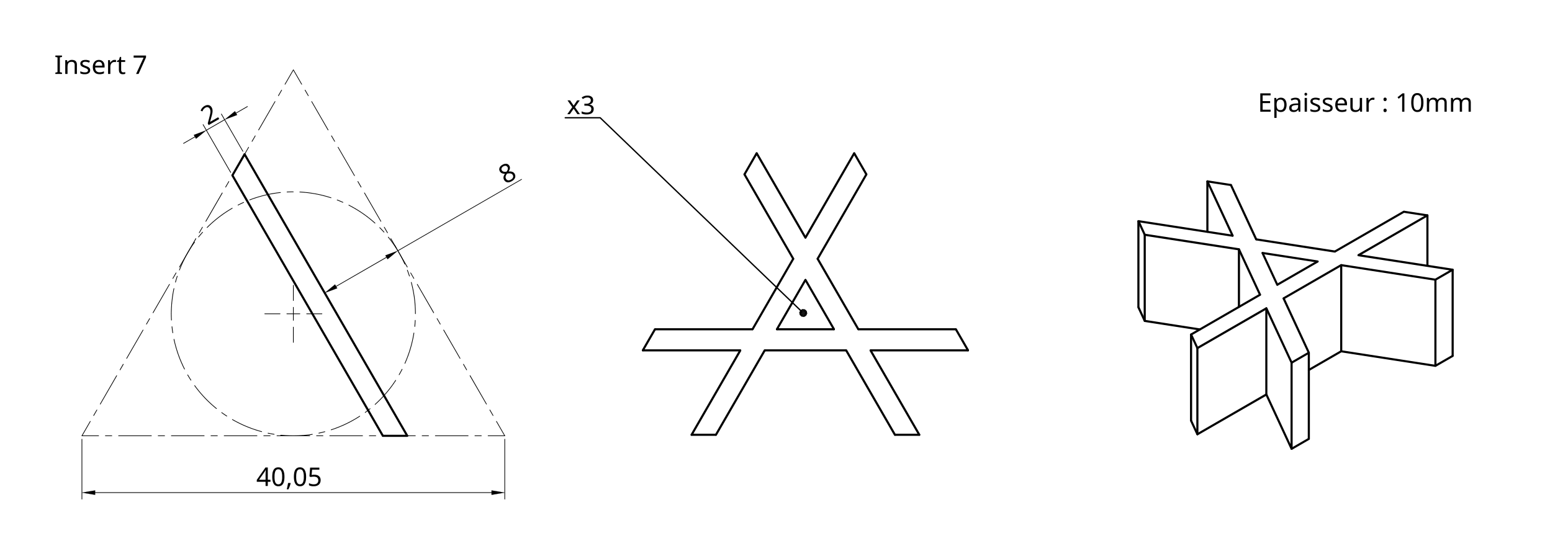
Insert 07
Difficulté : ★★
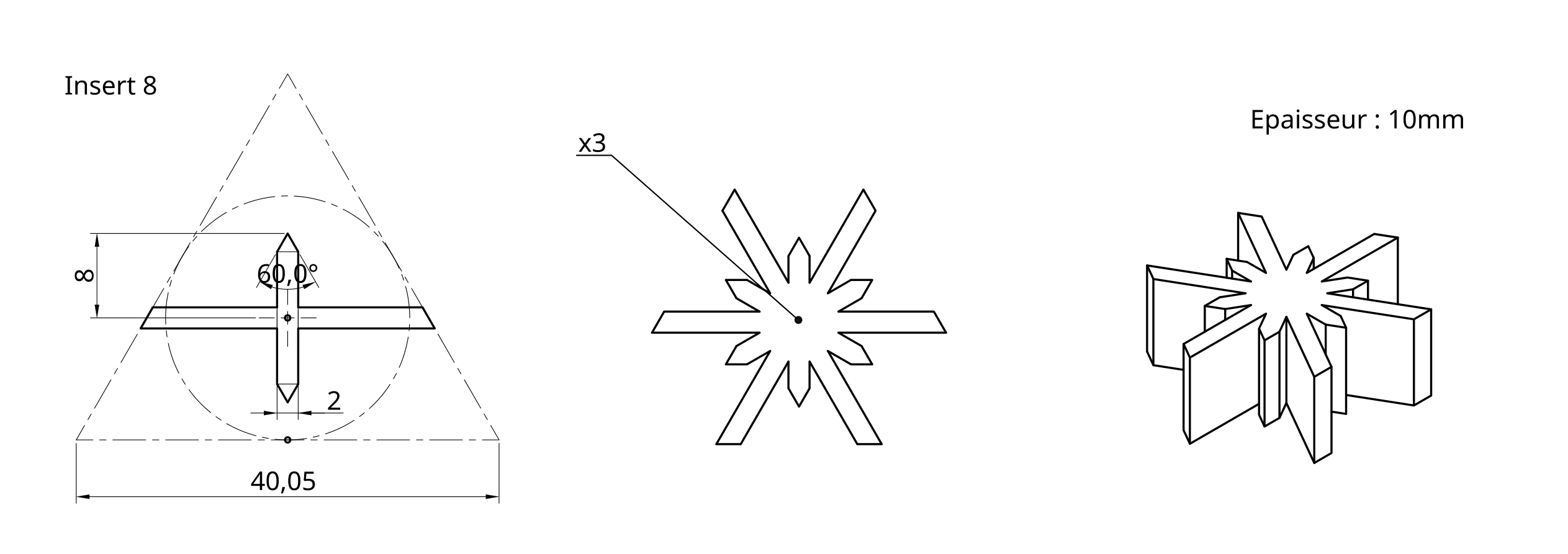
Insert 08
Difficulté : ★★★
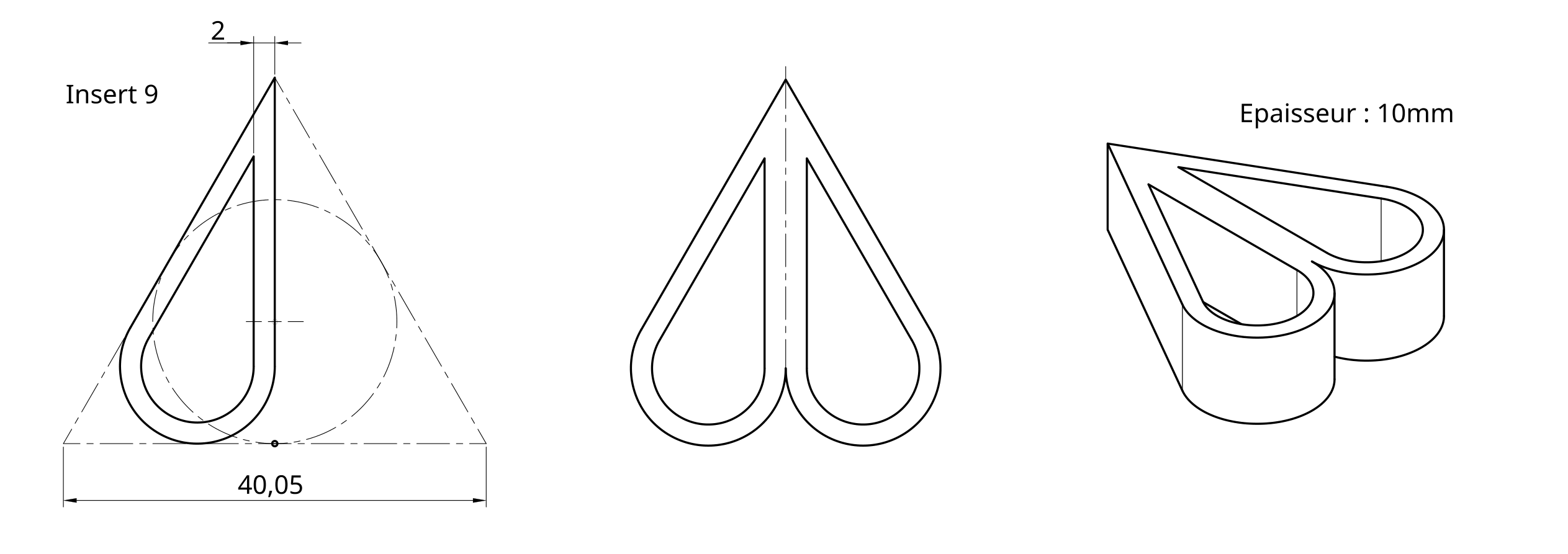
Insert 09
Difficulté : ★★
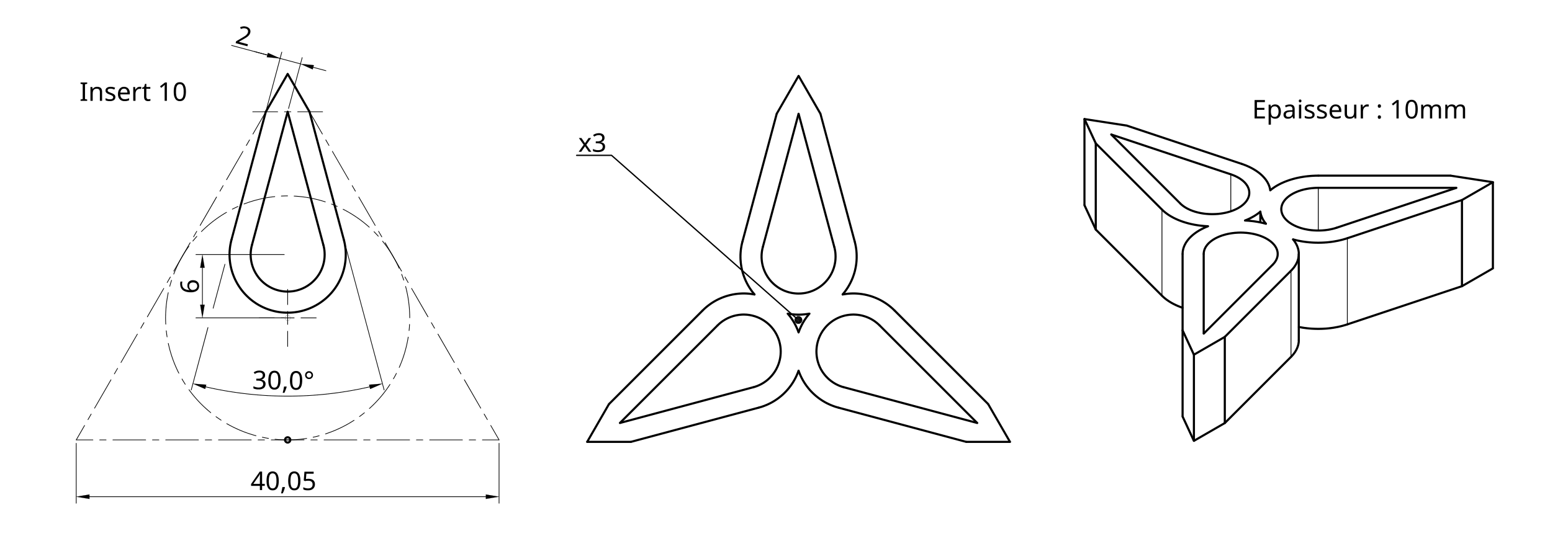
Insert 10
Difficulté : ★★★
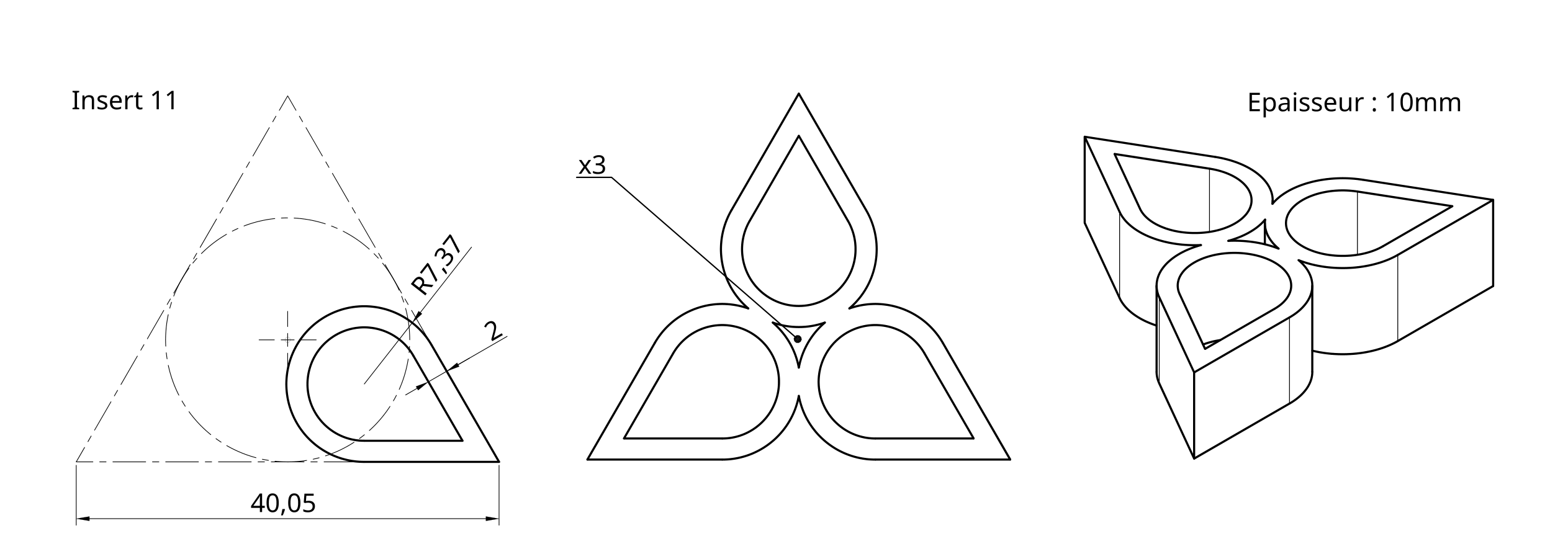
Insert 11
Difficulté : ★★★
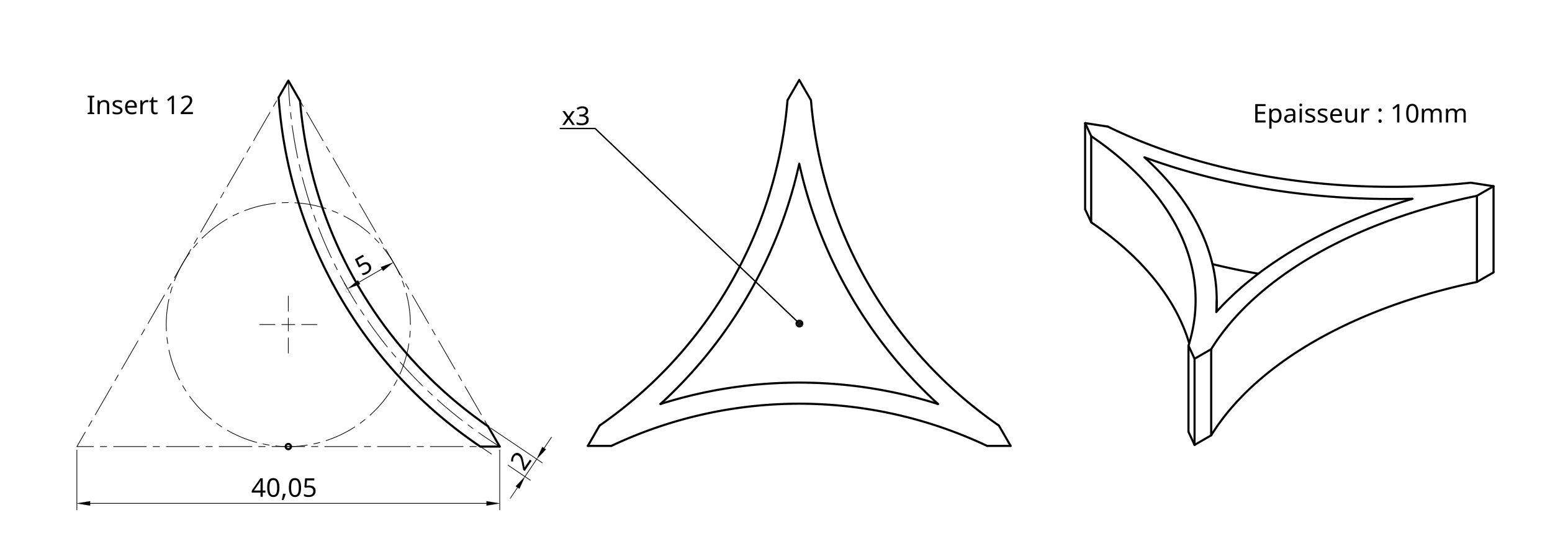
Insert 12
Difficulté : ★★
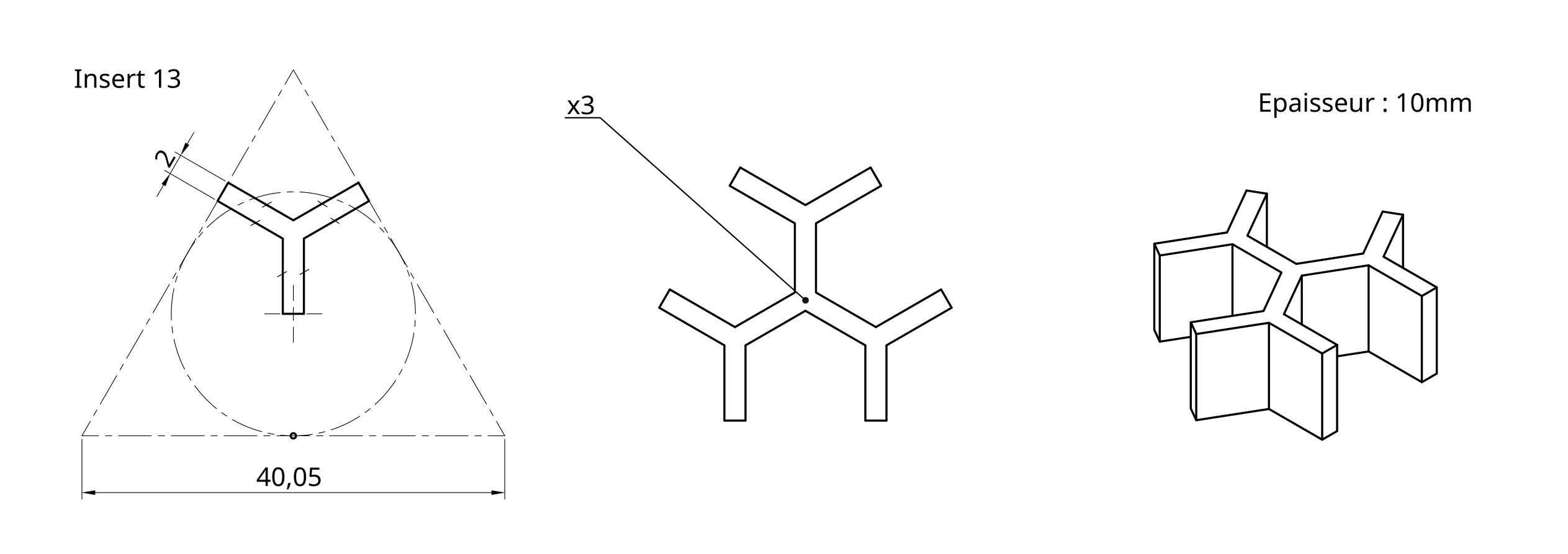
Insert 13
Difficulté : ★★
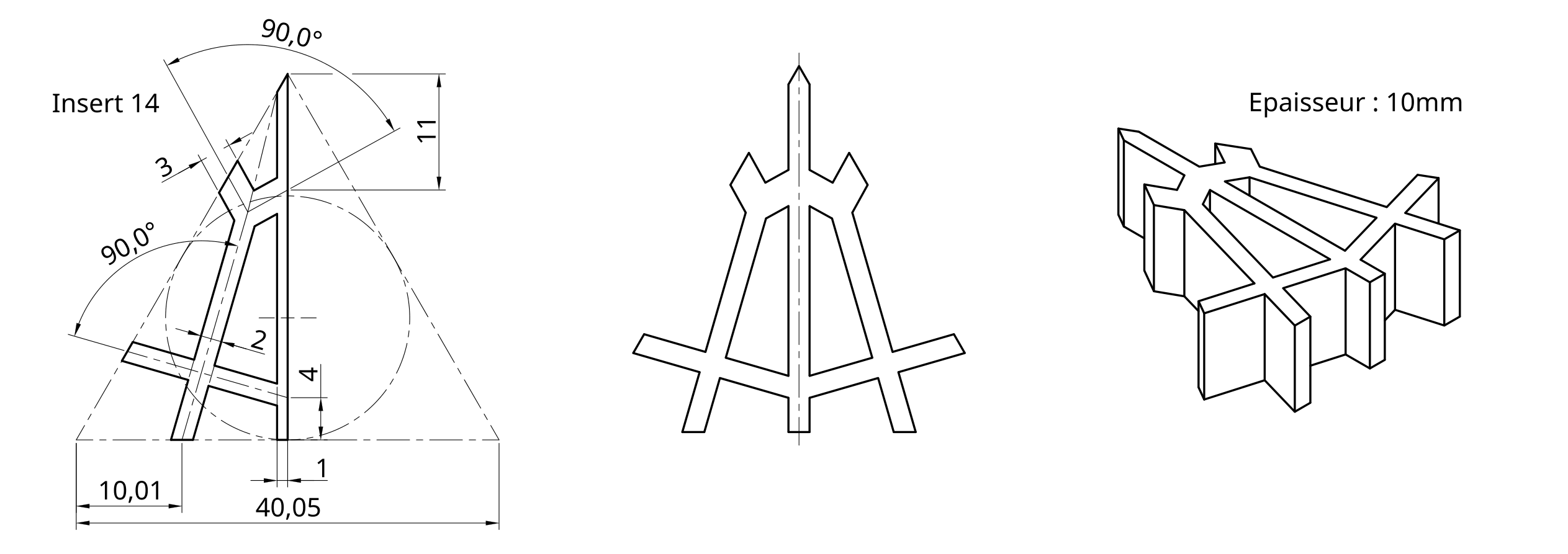
Insert 14
Difficulté : ★★★
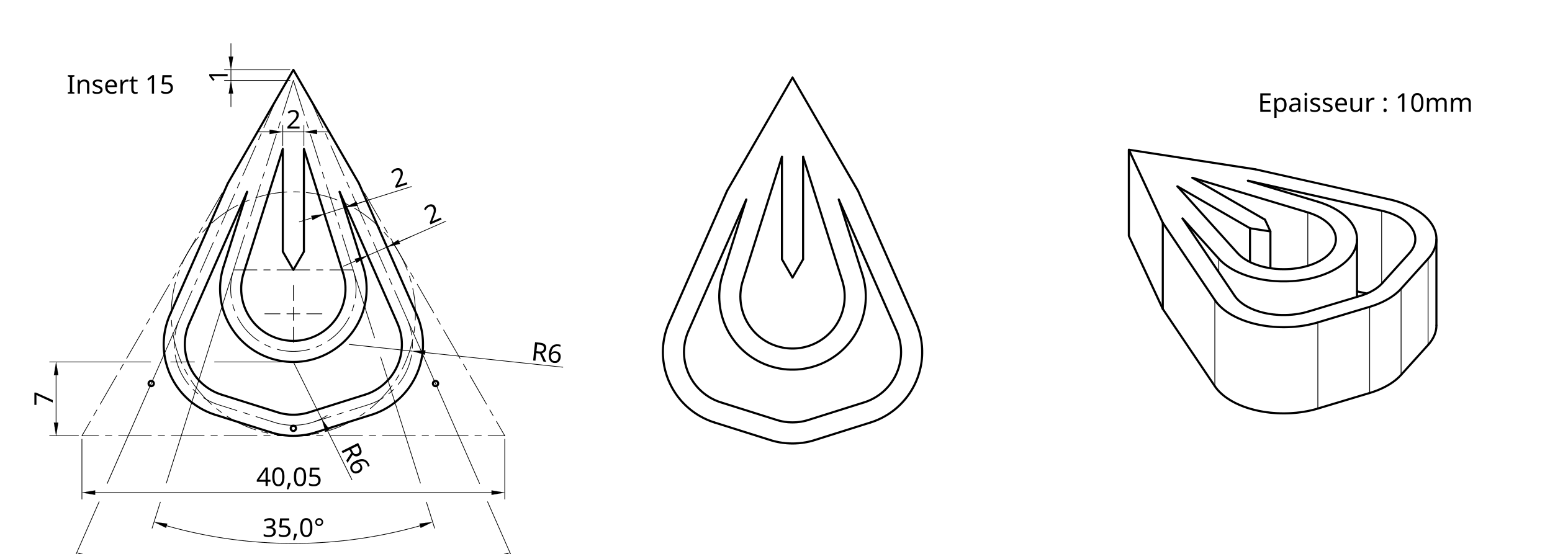
Insert 15
Difficulté : ★★★
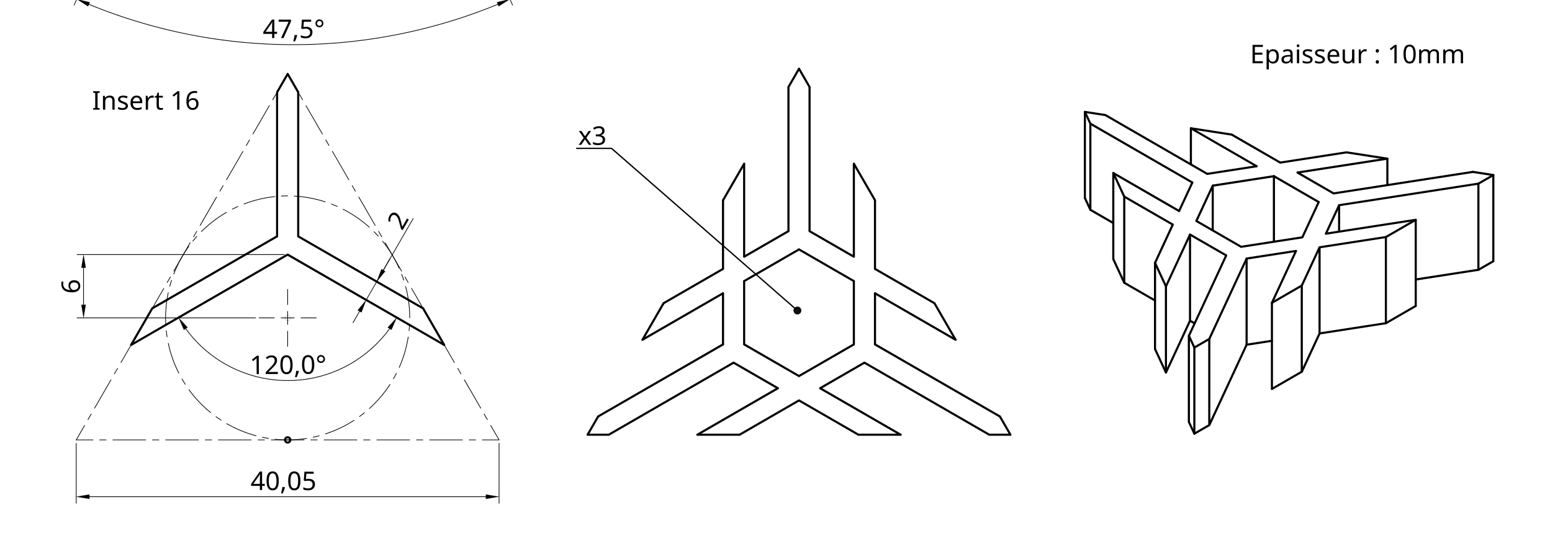
Insert 16
Difficulté : ★★★
