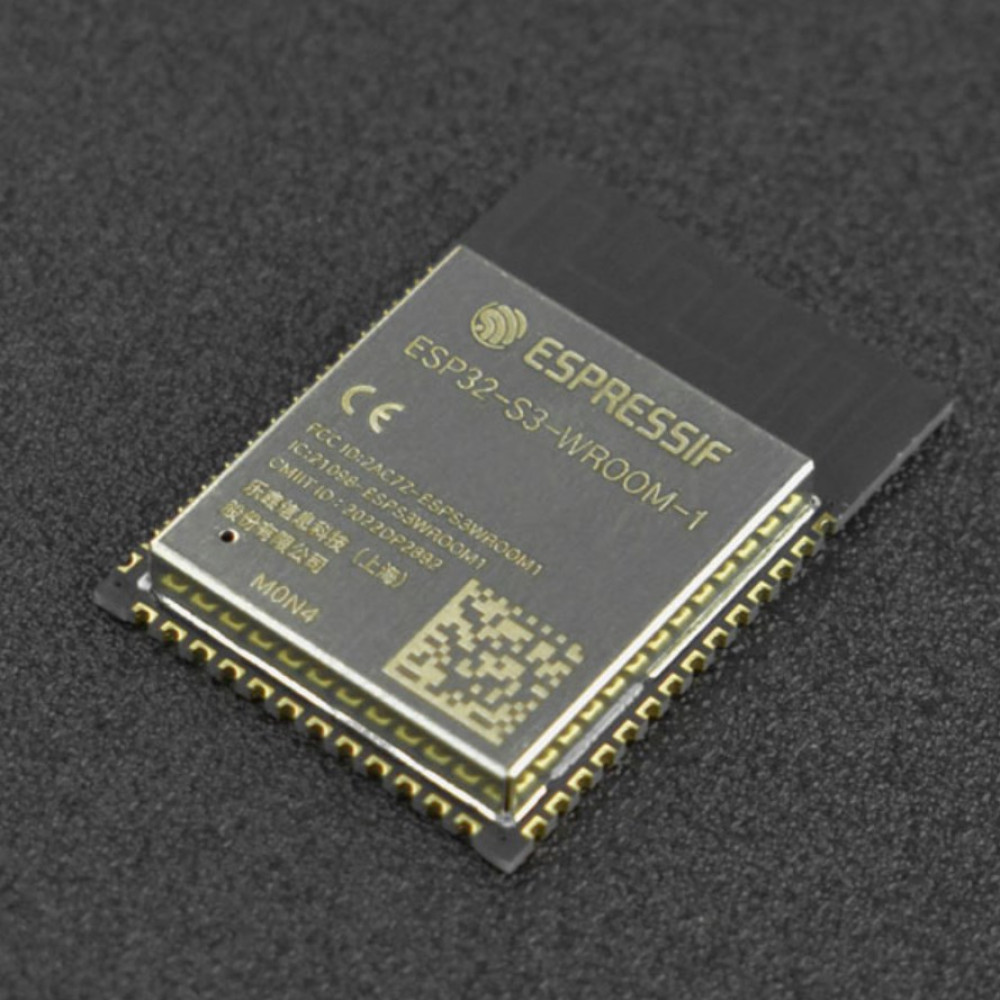
You come across dozens without knowing it
A microcontroller is a complete computer shrunk to the size of a fingernail, sitting on a single small chip. No screen, no keyboard, no humming fan: just the essentials to do one thing, and do it well.
You probably have a dozen of them within reach right now:
- the microwave oven that counts the seconds and turns the plate,
- the washing machine that runs washing, rinsing, spinning one after the other,
- the remote control, the wireless earbuds, the game controller,
- the electric scooter, the thermostat, the blinking toy,
- and dozens of them in a car (windows, indicators, airbags…).
None of these objects needs a “real” computer: they need a small, cheap, robust chip that starts instantly and does its task over and over. That is exactly the role of a microcontroller.
By the end of this concept, you will know:
- what a microcontroller is and where you find them in everyday life;
- how to describe its sense → decide → act cycle;
- what sets it apart from a regular computer;
- who makes microcontrollers, and why the course chose Espressif’s ESP32-S3.
Sense, decide, act
Whatever the object, a microcontroller always runs the same three-step loop:
flowchart LR
  A["Sense\n(sensors)"] --> B["Decide\n(the program)"]
  B --> C["Act\n(actuators)"]
  C -.-> A
- Sense: it reads sensors: a pressed button, a temperature, a distance, the ambient light…
- Decide: it runs its program: a sequence of instructions you write, which says what to do depending on what was sensed.
- Act: it drives actuators: turn on an LED, spin a motor, make a sound, display some text…
A concrete example: a thermostat senses the temperature, decides “it is too cold”, then acts by turning on the heating. Then it starts again, forever. The whole course is about writing the “decide” part.
The microcontroller cannot do anything on its own: it waits for the program you are going to give it. Without a program, it is an inert chip. Learning to program a microcontroller means learning to write this behaviour.
How is it different from a regular computer?
Your laptop is a versatile machine: it does everything (browsing, gaming, writing), but it is expensive, power-hungry and takes time to start. A microcontroller makes the opposite bet.
| |
Regular computer |
Microcontroller |
| Tasks |
Thousands, at the same time |
A single one, in a loop |
| Price |
Several hundred € |
A few euros, sometimes cents |
| Power |
Plugs into the mains |
Can run for months on a battery |
| Start-up |
Several seconds |
Instant |
| Screen / system |
Screen + operating system |
Neither, usually |
This frugality is what makes it so widespread: you can put them everywhere, for next to nothing, without thinking about it.
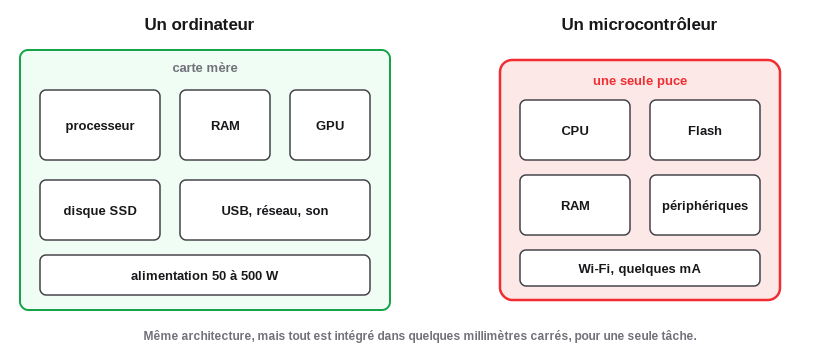
A Raspberry Pi is not a microcontroller but a single-board computer: it has a real operating system (Linux), a powerful processor and plenty of memory. It wins on versatility, but consumes much more, starts slowly and costs more. Simple rule: a single task, real time, low power → microcontroller; need for an OS, a screen, full networking → single-board computer.
Who makes microcontrollers?
Tens of billions of microcontrollers are sold every year, by a handful of large manufacturers. The top five by revenue (Infineon, NXP, Renesas, STMicroelectronics and Microchip) share most of the market, driven by the automotive industry (a recent car contains dozens of them) and industry. Others, smaller, dominate a specific niche.
| Manufacturer |
Country |
Well-known families |
Speciality |
| STMicroelectronics |
France / Italy |
STM32 |
A huge range, very present in industry |
| NXP |
Netherlands |
LPC, Kinetis, i.MX RT |
Automotive, industry, contactless payment |
| Infineon |
Germany |
AURIX, XMC, PSoC |
Automotive, power electronics |
| Renesas |
Japan |
RA, RX, RL78 |
Automotive; the RA4M1 of the Arduino Uno R4 |
| Microchip |
United States |
PIC, AVR, SAM |
The ATmega328 of the original Arduino Uno |
| Texas Instruments |
United States |
MSP430, MSPM0 |
Very low power |
| Nordic Semiconductor |
Norway |
nRF52, nRF54 |
Bluetooth Low Energy |
| Raspberry Pi |
United Kingdom |
RP2040, RP2350 |
The Pico boards, education |
| Espressif |
China |
ESP8266, ESP32 |
Built-in Wi-Fi, at low cost |
All these manufacturers offer hundreds of parts, from the small microcontroller costing a few cents to the processor able to drive a touchscreen. Choosing a chip means finding in these catalogues the one that has just what the project needs.
Espressif, Wi-Fi for everyone
Espressif Systems is a company founded in Shanghai in 2008. It is not among the largest manufacturers by revenue, but it changed the game in one specific field: Wi-Fi connected devices.
- In 2014, its ESP8266 puts a complete, programmable Wi-Fi chip within everyone’s reach for a few euros. Until then, connecting a device to Wi-Fi required an expensive module next to the microcontroller.
- In 2016, the ESP32 adds a second core, Bluetooth and many more peripherals.
- Makers adopt it: Arduino libraries, open documentation, thousands of projects shared online. In industry, its chips equip connected plugs and bulbs, home sensors, household appliances.
Since then, Espressif has turned the ESP32 into a family of chips, each with its speciality:
| Chip |
Core(s) |
Radio |
Strengths |
| ESP32 |
2 × Xtensa LX6, 240 MHz |
Wi-Fi + Bluetooth |
The original, versatile |
| ESP32-S2 |
1 × Xtensa LX7, 240 MHz |
Wi-Fi |
Native USB, no Bluetooth |
| ESP32-S3 |
2 × Xtensa LX7, 240 MHz |
Wi-Fi + Bluetooth LE 5 |
The most powerful of the Wi-Fi chips: light AI, display, camera, native USB |
| ESP32-C3 |
1 × RISC-V, 160 MHz |
Wi-Fi + Bluetooth LE 5 |
Small and very cheap |
| ESP32-C6 |
RISC-V, 160 MHz |
Wi-Fi 6 + Bluetooth LE + Thread / Zigbee |
The smart home (Matter standard) |
| ESP32-H2 |
RISC-V |
Bluetooth LE + Thread / Zigbee, no Wi-Fi |
Very low power sensors |
| ESP32-P4 |
2 × RISC-V, 400 MHz |
None |
High-end multimedia and interfaces |
The letter gives the trend: S for the highest-performance series, C for the low-cost chips with a RISC-V core, H for low power without Wi-Fi, P for high performance without radio. The ESP32-S3 sits at the top of the connected range: the most powerful Wi-Fi chip of the family.
Why the ESP32-S3 in this course?
In this course, we use the ESP32-S3, mounted on a board the size of a postage stamp, the XIAO ESP32S3. It was chosen for five reasons:
- Built-in Wi-Fi and Bluetooth: the Snake project brings in a second player from a web browser. No module to add, no extra wiring.
- Power to spare: two cores at 240 MHz and several megabytes of memory are more than enough for a game, a colour display and the network at the same time.
- Native USB: the board is programmed directly, with no driver to install, on Windows, macOS and Linux.
- An accessible ecosystem: the Arduino framework and PlatformIO to get started, Espressif’s official tool (ESP-IDF) to go further, and huge documentation and community.
- A development board price: a XIAO ESP32S3 board costs less than ten euros, and an ESP32-S3 module is found in real industrial products. What you learn here is useful outside school.
It has its limits too: it consumes more than a low-power microcontroller (a battery would not last for months with Wi-Fi on), and its pins work at 3.3 V, not 5 V.
“ESP32-S3”, “sensor”, “actuator”… these words will quickly become familiar through hands-on work. The aim of this page is just to give you the big picture before getting into the details.
And under the hood?
You now know what a microcontroller is for and what it does. The next step is to open the hood and see how it is built inside (the processor, the memories, the pins) in the concept Architecture of a microcontroller.
Quick quiz
1. Can a microcontroller run several applications like a computer?
Show the answer
No: it is designed for a single task, repeated in a loop: this is what makes it simple, cheap and frugal.2. What are the three steps of its operating loop?
Show the answer
Sense (sensors) → decide (the program) → act (actuators).3. Who writes the “decide” part?
Show the answer
You: without a program, the chip stays inert.4. Why does the course use an ESP32-S3 rather than an ATmega328 (Arduino Uno)?
Show the answer
The project needs Wi-Fi for the browser player, enough power and memory for a colour display, and the ESP32-S3 has native USB. The ATmega328 has neither Wi-Fi nor the necessary power.Going further
Ready to get hands-on? The first tutorial installs the tools and flashes your very first program:
Summary
- A microcontroller is a complete miniature computer on a single chip, found in a host of everyday objects.
- It always works in three steps: sense (sensors) → decide (the program) → act (actuators), in a loop.
- You write the “decide” part: without a program, the chip does nothing.
- Compared with a regular computer, it does a single task, costs little, consumes little and starts instantly.
- The large manufacturers (Infineon, NXP, Renesas, STMicroelectronics, Microchip) dominate automotive and industry; Espressif made built-in Wi-Fi accessible to everyone.
- In this course, we program an ESP32-S3, the top of Espressif’s Wi-Fi range: two cores, Wi-Fi, Bluetooth and native USB, for less than ten euros per board.